Grasshopper TTN Ultrasonic Sensor Node
Low-power LoRaWAN sensor node using the Grasshopper development board with an MB1242 ultrasonic distance sensor, transmitting readings to The Things Network with 30-minute deep sleep intervals.
Grasshopper TTN Ultrasonic Sensor Node
A low-power LoRaWAN node project by Wolfgang Klenk demonstrating how to send ultrasonic sensor distance values via The Things Network (TTN) while maximizing battery life.
Overview
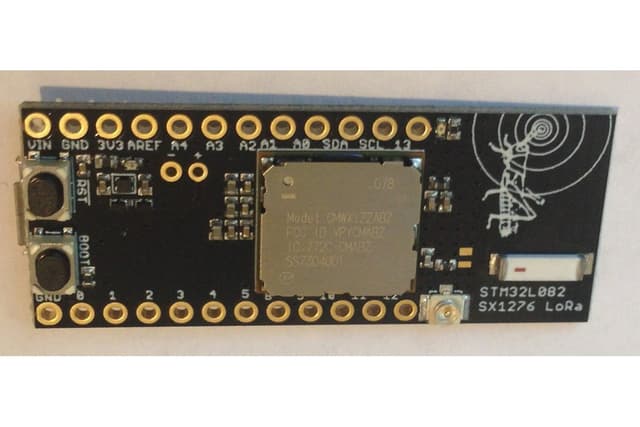
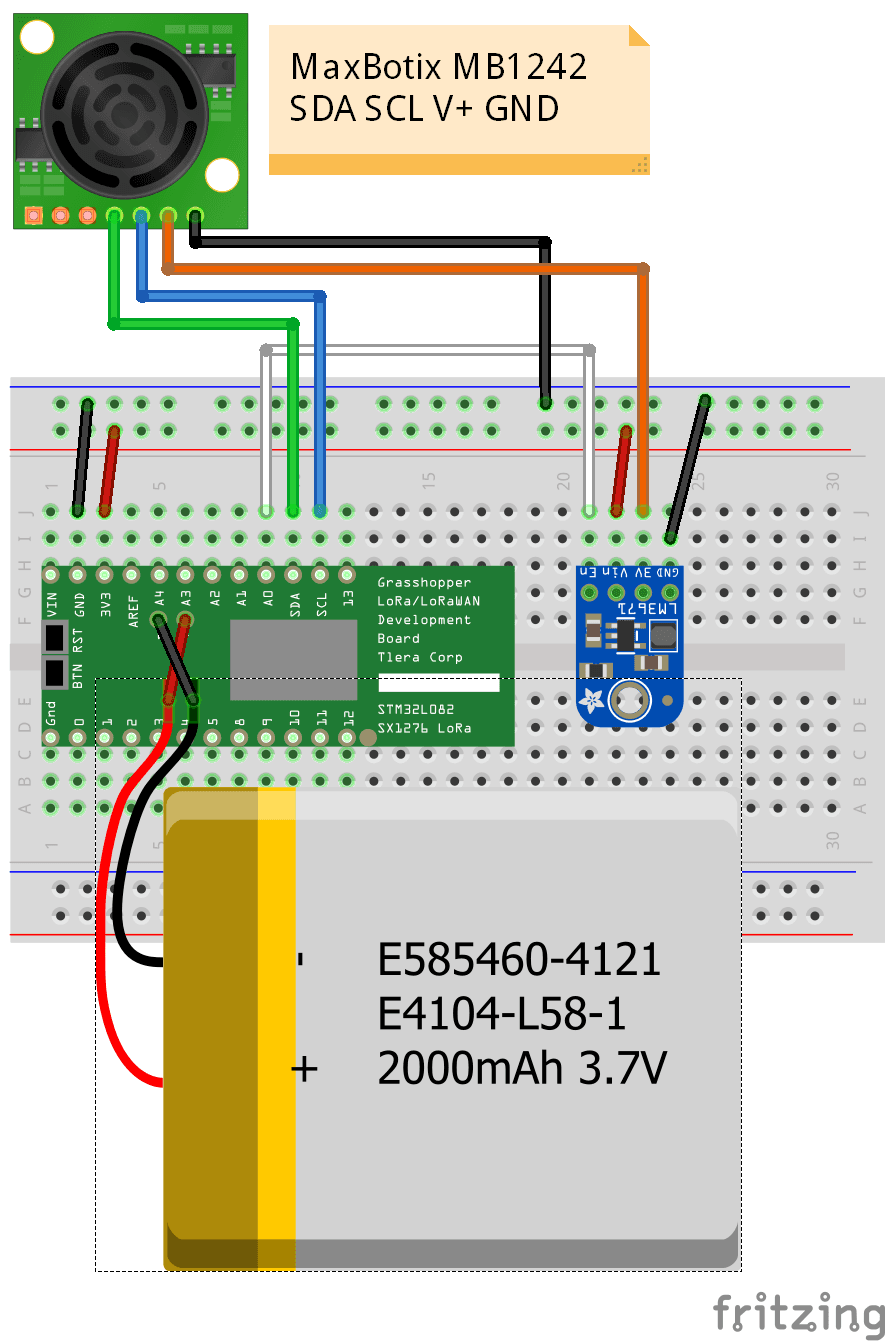
This project uses the Grasshopper LoRaWAN Development Board (STM32L082 + SX1276) connected to a MaxBotix MB1242 I2CXL-MaxSonar-EZ4 ultrasonic distance sensor via I2C. The sensor measures distance in centimeters and transmits readings periodically to TTN on the EU868 frequency band.
Hardware
- Grasshopper LoRaWAN Development Board — STM32L082 MCU with SX1276 LoRa radio
- MaxBotix MB1242 I2CXL-MaxSonar-EZ4 — ultrasonic distance sensor (I2C)
- Adafruit LM3671 3.3V Buck Converter — acts as a power switch for the sensor
- LiPo Battery (>2000 mAh) via JST-PH connector
Power Optimization
The STM32L082 enters stop mode between transmissions, drawing only 2.1 uA. The ultrasonic sensor is power-gated via the buck converter, completely powered down between measurements. Default transmission interval is 30 minutes.
Data Stack
Sensor data flows from the Grasshopper through TTN to a backend stack consisting of Node-RED, InfluxDB, and Grafana for storage and visualization.
Getting Started
- Register a device on The Things Network (EU868)
- Flash the Arduino sketch from the GitHub repository
- Wire the MB1242 sensor via I2C and the LM3671 power switch
- Configure TTN credentials in the sketch
- Set up Node-RED, InfluxDB, and Grafana for data visualization