Tutorialbeginner
Flash Shelly Relays with Tasmota or ESPHome Using VoltLink
Use the VoltLink CP2102N with its optional Shelly programming adapter to safely flash Tasmota or ESPHome firmware onto Shelly relays without mains power, powering them via USB during the process.
Firmware:tasmotaesphome
Use Cases:Smart Homeprogramming
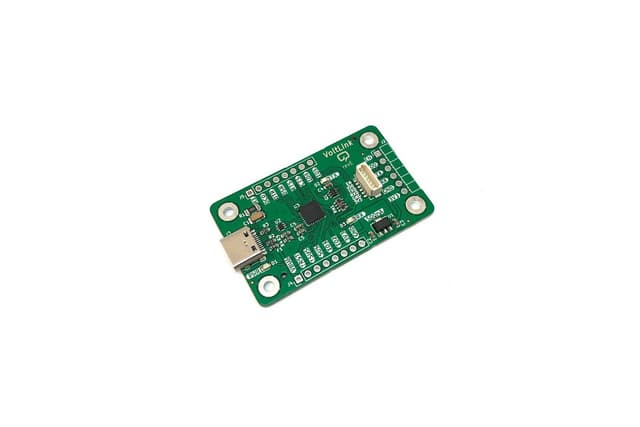
The VoltLink CP2102N can be paired with an optional 6-pin Shelly programming adapter to flash custom firmware onto Shelly smart relays safely and conveniently. The adapter powers the Shelly relay through the VoltLink's onboard 3.3V regulator, eliminating the need for a dangerous mains power connection during flashing.
How It Works
- Connect the Shelly adapter to the VoltLink's JST-SH connector
- Plug the adapter into your Shelly relay's programming header (make sure it is fully disconnected from mains power)
- Hit Upload in your IDE or flashing tool — the VoltLink's auto-reset circuitry handles bootloader entry automatically
- The VoltLink provides both power and serial communication through a single USB-C connection to your computer
Compatible Shelly Devices
The Shelly programming adapter has been tested and confirmed working with:
- Shelly 1 Plus PM
- Shelly 2.5
- Shelly Dimmer 2
- Shelly EM
- Shelly Plus 1PM
- Shelly Pro 1
- Shelly Pro 2
Note: The Shelly Plus 2PM has a different pinout and is not compatible with this adapter for plug-and-play flashing.
Compatible Firmware
- Tasmota — popular open-source firmware for ESP-based smart home devices
- ESPHome — YAML-based firmware for Home Assistant integration
Why Use VoltLink for Shelly Flashing?
- No mains power needed — the VoltLink's 500mA regulator powers the relay during flashing
- Auto-reset circuitry — no manual button pressing to enter bootloader mode
- Genuine CP2102N chip — reliable serial communication at high baud rates
- ESD and overcurrent protection — protects both the adapter and your Shelly device