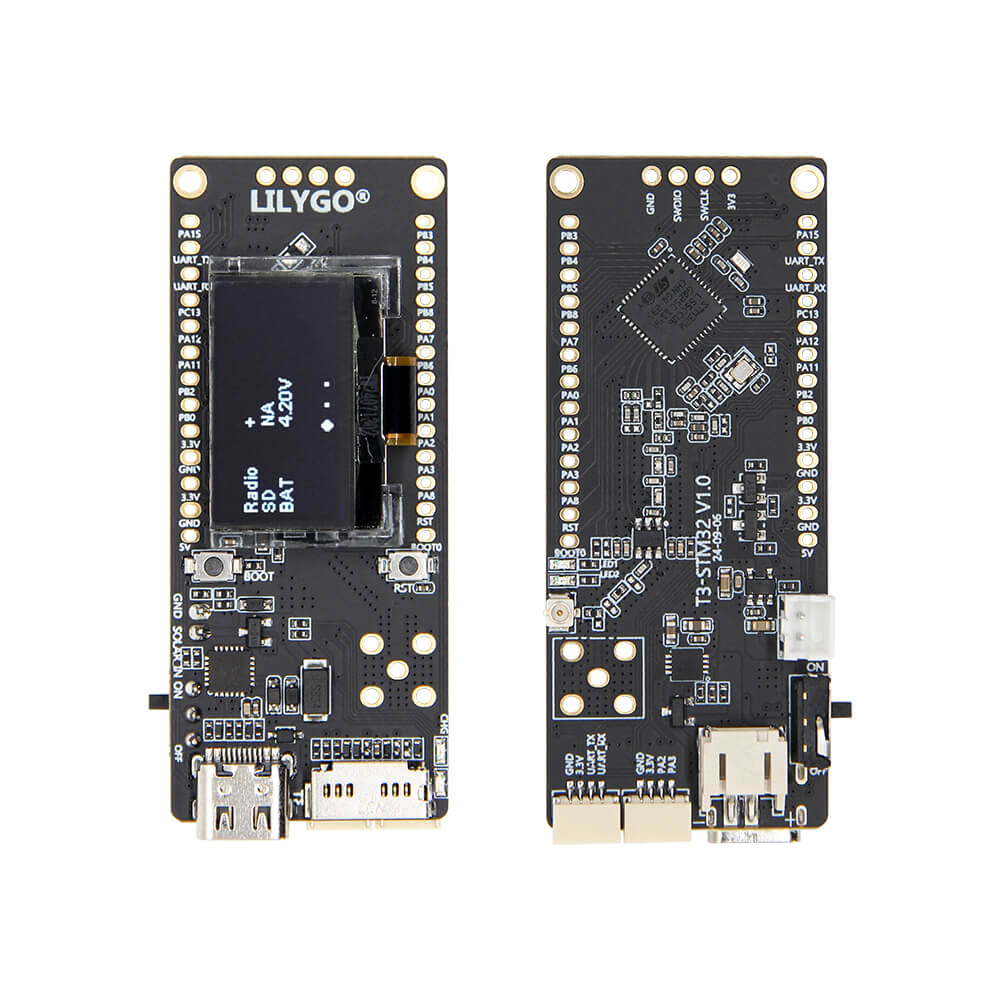
LILYGO T3 STM32
STM32WL55-based development board with integrated LoRa, FSK, and BPSK radio modulation across 433/868/915MHz bands and a 0.96-inch OLED display for ultra-low-power LoRaWAN applications.
$15.03
Hardware Specifications
Components
Dual-core Arm Cortex-M4 + Cortex-M0+ with integrated sub-GHz radio (LoRa, FSK, GFSK, MSK, BPSK), 256KB flash, 64KB SRAM
0.96-inch 128×64 monochrome OLED display, SPI interface
Resources


Where to Buy
Overview
The LILYGO T3 STM32 is a unique development board in the LILYGO ecosystem, departing from the typical ESP32 platform in favor of the STM32WL55CCU6 — a dual-core microcontroller from STMicroelectronics that integrates both an Arm Cortex-M4 application processor and an Arm Cortex-M0+ radio co-processor with a built-in sub-GHz radio transceiver. This eliminates the need for a separate LoRa module, resulting in a compact and power-efficient design.
The integrated radio supports LoRa, (G)FSK, (G)MSK, and BPSK modulation across 433MHz, 868MHz, and 915MHz bands, making it natively compatible with LoRaWAN networks. The 256KB flash and 64KB SRAM are sufficient for LoRaWAN stacks and sensor firmware. A 0.96-inch SSD1315 OLED display (128×64 pixels) is included for local UI.
At $15.03, the T3 STM32 is one of the most affordable LoRaWAN-capable boards in the LILYGO range. It is particularly well-suited for deployments requiring ultra-low power consumption where WiFi/BT are not needed.
Firmware Compatibility
Compatible with STM32CubeIDE (official ST toolchain) and the STM32duino Arduino core. LoRaWAN stacks (such as LMIC or the ST LoRaWAN middleware) can run on the Cortex-M4 core. The GitHub repository at https://github.com/Xinyuan-LilyGO/T3-STM32 provides example projects and board support files.
Flashing Guide
- Install STM32CubeIDE from STMicroelectronics, or configure the STM32duino core in Arduino IDE.
- Connect via USB-C; the board will appear as an STM32 DFU device.
- Use STM32CubeProgrammer or the Arduino IDE DFU upload to flash firmware.
- Alternatively, use the SWD interface with a ST-Link programmer for debug flashing.
This product page may contain errors. If you find any, please report them.