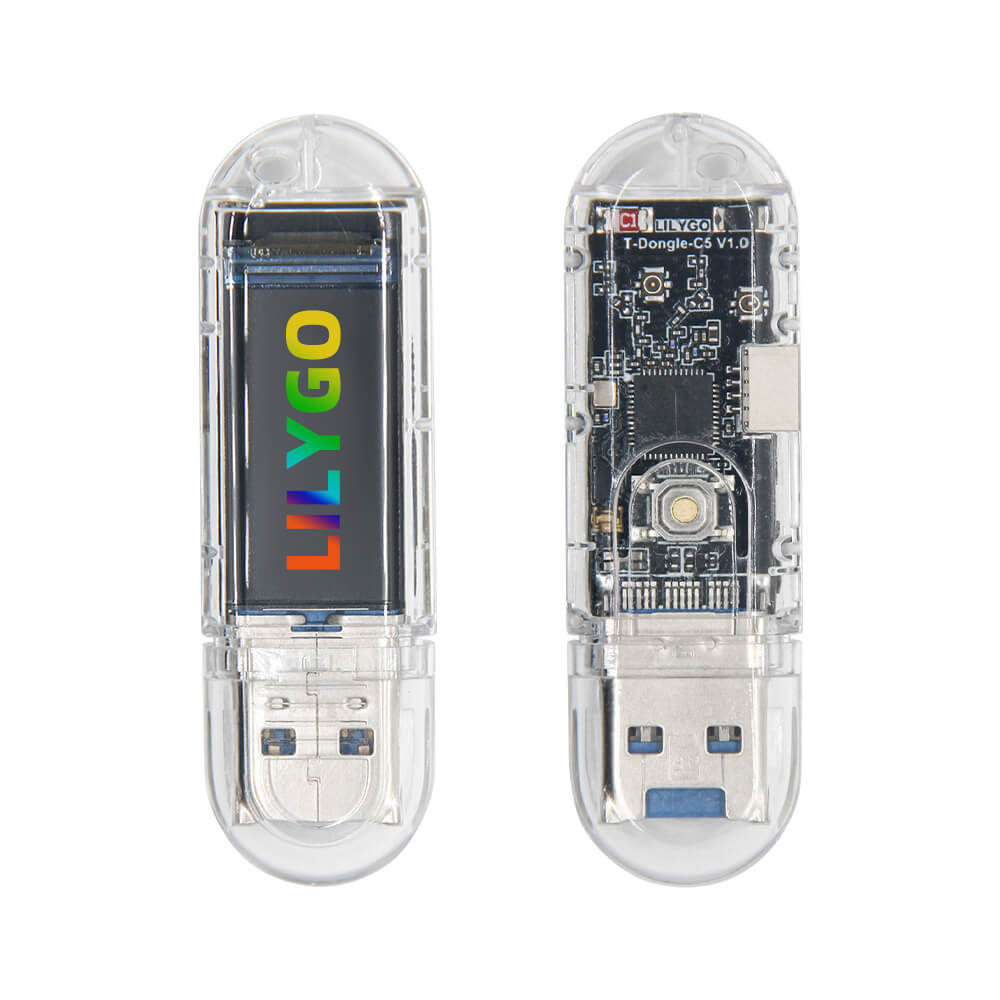
LILYGO T-Dongle C5
A USB dongle-style ESP32-C5 development board with dual-band WiFi 6 (2.4/5 GHz), BLE 5, a 0.96-inch color IPS LCD, and TF card support — ideal for compact wireless applications.
$0.00
Hardware Specifications
Connectivity
Components
RISC-V single-core MCU with 16MB Flash, 8MB PSRAM, dual-band WiFi 6, BLE 5, and 802.15.4
0.96-inch IPS LCD, 80x160 pixels, 65K colors, 4-Wire SPI interface

Where to Buy
Overview
The LILYGO T-Dongle C5 is a USB dongle-form-factor development board built around the ESP32-C5, Espressif's dual-band WiFi 6 chip. Unlike typical development boards, it plugs directly into a USB-A port, making it convenient for use as a wireless adapter, sniffer, or embedded compute module in host systems.
The board integrates a 0.96-inch ST7735 IPS color LCD (80x160 pixels, 65K colors) with 4-wire SPI interface for displaying status information or custom UI. TF (microSD) card support is included for data logging. With 16MB of Flash and 8MB of PSRAM, the T-Dongle C5 has significantly more memory than the T7-C5, enabling more complex applications.
The ESP32-C5's dual-band WiFi 6 (2.4 and 5 GHz), BLE 5, and 802.15.4 (Zigbee/Thread) support make this dongle highly versatile. It is available as a pre-sale item with an estimated shipping date of March 10, 2025. A highly sensitive ceramic antenna provides reliable wireless performance in compact form factor.
Firmware Compatibility
- Arduino — Use the ESP32 Arduino core (v3.x+) with ESP32-C5 board support.
- ESP-IDF — Full Espressif SDK for advanced wireless stack access.
- Zigbee — Native Zigbee stack via ESP-Zigbee SDK.
- Thread / Matter — Supported via ESP-IDF OpenThread and esp-matter components.
Flashing Guide
- Install Arduino ESP32 core v3.1.0+ for ESP32-C5 support.
- Plug the T-Dongle C5 into a USB-A port (use a USB-A to USB-A extension if needed for direct board access).
- Select ESP32C5 Dev Module in Arduino IDE.
- Set Flash to 16MB and enable PSRAM if your sketch requires it.
- For display output, install TFT_eSPI or LovyanGFX and configure for the ST7735 driver with the correct pin definitions from the LILYGO GitHub repository.
- Flash and monitor via Serial at 115200 baud.
Related Products
ESP32-C5This product page may contain errors. If you find any, please report them.